

Sessions and signing out everywhere
- Owner
- Organization admin
- Concierge
- Estate admin
- Estate viewer
Signing in creates a session: one browser on one device, staying signed in so you do not have to type your password every morning. This page covers ending that session on the device in front of you, and ending the ones you left behind somewhere else. Everyone with a Steadwell account does it the same way.
Log out on this device
Section titled “Log out on this device”-
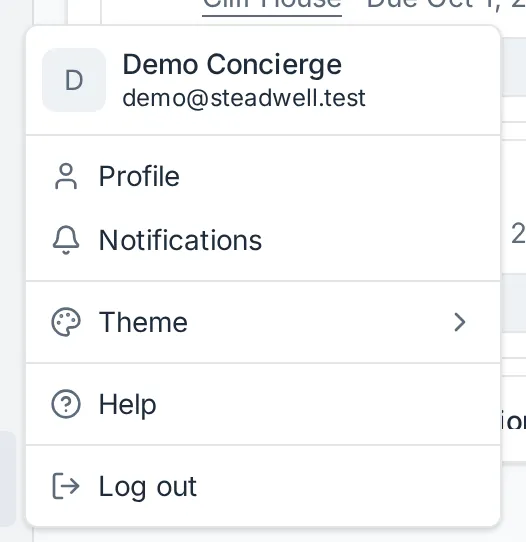
Open the user menu at the bottom of the sidebar - your name, email and photo.
-
Select Log out.
-
Steadwell returns you to the login page.
That ends the session on this browser only. Other devices stay signed in.
Sign out of all other devices
Section titled “Sign out of all other devices”If a phone or iPad is lost, or you left yourself signed in on a shared computer, sign every other device out from your profile. The device you are on stays signed in.
-
Open the user menu and select Profile.
-
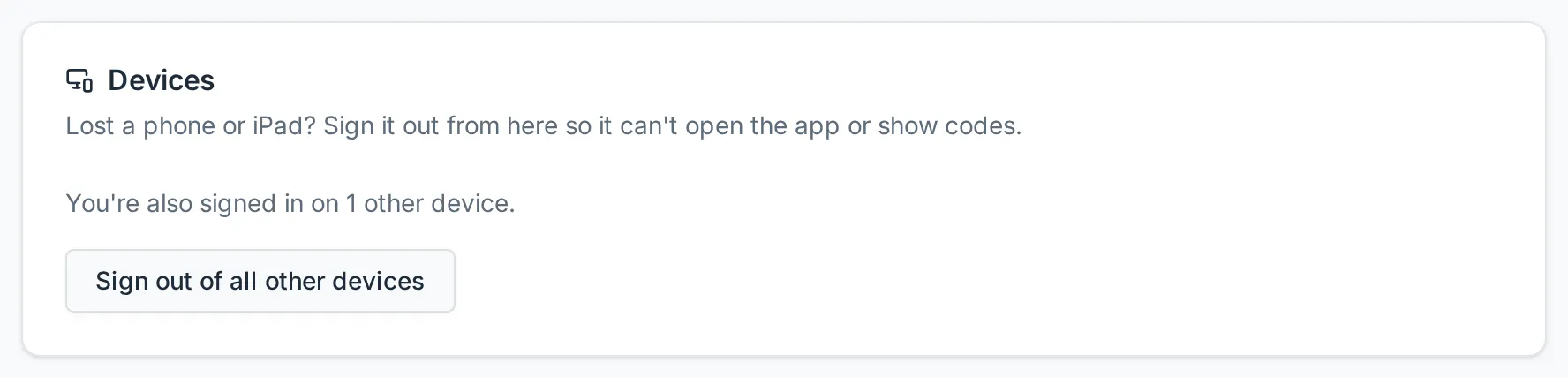
In the Devices card, Steadwell says how many other devices you are signed in on. Select Sign out of all other devices.
-
Confirm with Sign out.
Every other browser, phone and iPad goes back to the sign-in screen the next time it is used, and cannot show codes until someone signs in on it again. If it is open on the Steadwell app at the time, it returns to sign-in the next time it loads anything.
When the card says “This is the only device you’re signed in on.”, there is nothing else to sign out and the button is not shown.
Changing your password also signs every other device out.
If you cannot get to your profile at all - the device you would use is the lost one - ask an owner or organization admin of your organization to use Sign out of all devices on your row of the Members page, which signs out every device including the lost one. You can also reset your password from the login page. Email support@steadwell.estate if you think somebody else has used your account.
What happens next
Section titled “What happens next”A few consequences of sessions being per device are worth knowing:
- Verification does not travel. A step-up confirmation is tied to the session that earned it. Confirming on your laptop does nothing for your phone, and logging out discards it.
- Your organization follows the account, not the device. If you switch organizations, that becomes the one you land in the next time you sign in - on any device.
- An administrator can sign you out. Owners and organization admins can sign a member of staff out of every device without removing them, for example when a work iPad goes missing. You stay a member and simply sign in again.
- Losing access is not the same as losing the account. When an administrator removes you from an organization, its estates, requests and calendars stop resolving for you straight away. Your Steadwell account itself survives if you belong to another organization. See Offboard a member.