

Reset or change your password
- Owner
- Organization admin
- Concierge
- Estate admin
- Estate viewer
There are two ways to set a new password: reset it from the login page when you cannot get in, or change it from your profile when you can. Anyone with a Steadwell account can do both, whatever their role.
Choose a password
Section titled “Choose a password”A password must be 12 to 128 characters long. Any characters work, including spaces, and there is no required mix of upper case, numbers or symbols: length is what makes a password hard to guess, so a few unrelated words (“lantern orchard river seven”) beat a short jumble of symbols. A strength meter under the field rates what you type as you go.
Steadwell refuses a password that has appeared in a known data breach, or that contains your email address, your name or “steadwell”, and tells you why so you can pick another. You are never asked to change a password on a schedule.
Reset a forgotten password
Section titled “Reset a forgotten password”-
On the login page, select Forgot your password? next to the password field.
-
Enter your email address and select Send reset link.
-
Steadwell shows Check your email. It says the same thing whether or not that address has an account, so the page never reveals who has one.
-
Open the email and follow the link. It is valid for 24 hours and can be used once.
-
On Reset Your Password, enter a New Password of at least 12 characters, repeat it under Confirm Password, and select Reset password.
-
Steadwell returns you to the login page. Sign in with the new password.
If the link no longer works
Section titled “If the link no longer works”A link that has expired, or that has already been used, lands on This reset link is no longer valid. Select Request a new link and start again from step 1. Requesting a new link does not invalidate your current password - until you complete a reset, the old one still works.
If no email arrives, check the junk folder and confirm you used the address your organization invited. Steadwell limits how often reset emails can be requested for one address, so a burst of attempts is slower than a single one.
Change your password while signed in
Section titled “Change your password while signed in”-
Open the user menu at the bottom of the sidebar and select Profile.
-
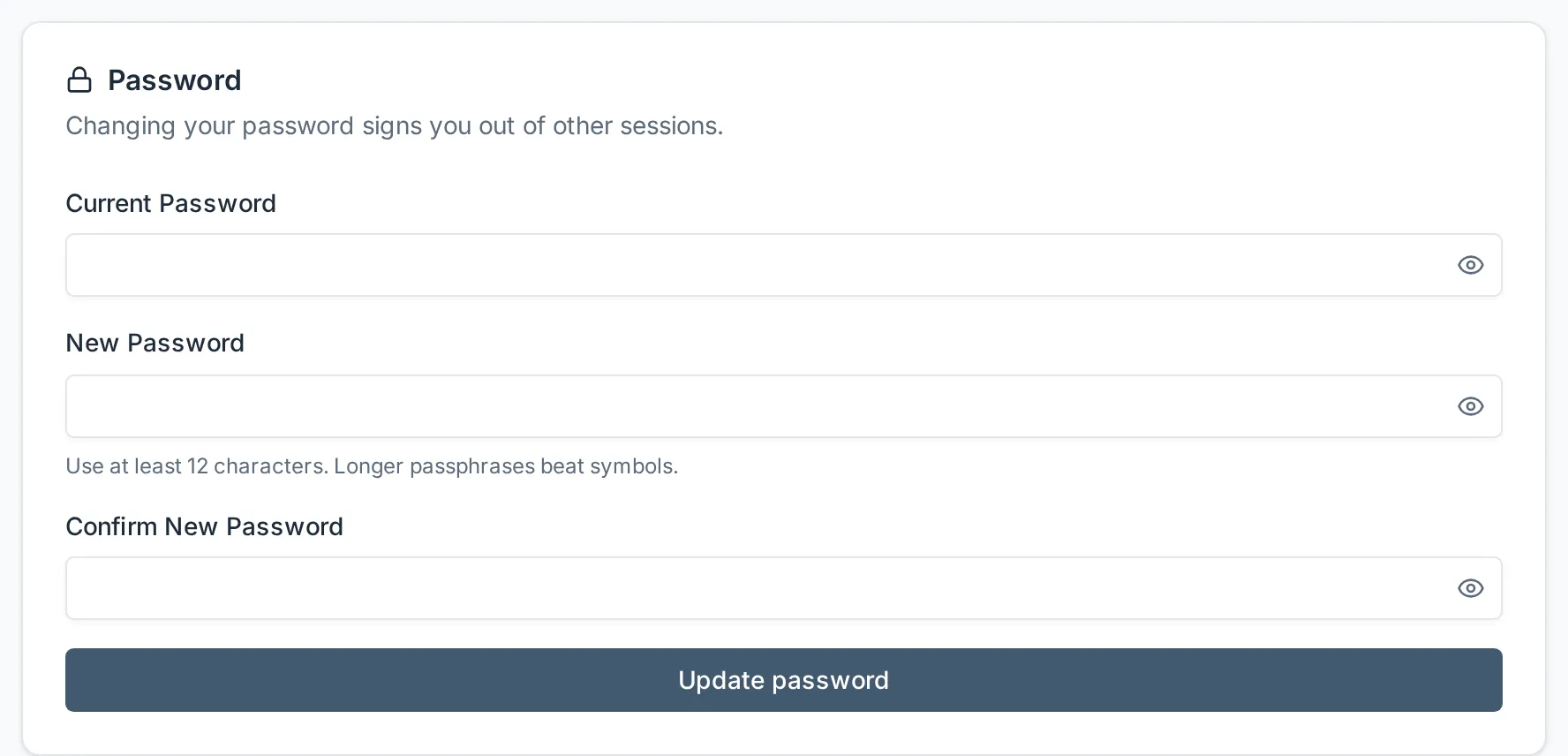
Scroll to the Password card.
-
Enter your Current Password, then a New Password of at least 12 characters, and repeat it under Confirm New Password.
-
Select Update password. Steadwell confirms with Password updated.
What happens next
Section titled “What happens next”Your new password takes effect immediately. Nothing else about your account changes: your passkeys, your organizations and your roles are all untouched.
Two details worth knowing:
- Completing a reset link also confirms your email address, because following the link proves you can read that mailbox.
- The Password card only appears if you sign in with a password. It is hidden for an account that has none - for example one that was finished with Google. Such an account adds a password with Set password on the Sign-in methods card, after confirming it is you; the card then appears. The reset link above works for it too.
Changing your email address is a separate action on the same page, under the Email card. Steadwell sends a verification link to the new address and the change applies only once you follow it, so a mistyped address cannot lock you out.